Brother MFC-L3780CDWBest overall
- Type
- Color laser all-in-one (print, copy, scan, fax)
- Print speed
- Up to 31 ppm
- Duplex
- Single-pass duplex copy and scan
- Scan speed
- Up to 29/22 ipm (black/color)
Most recommended by reviewers
Check price at AmazonWe earn a commission when you buy through our links, at no extra cost to you. How this works.
Your inkjet sits unused for a month, then gives you a streaky page or nothing at all. That's when many people start looking at laser printers. Toner doesn't dry out the way ink does, so a laser is ready to print when you need it. One owner who switched to a laser when they started working from home says they've had zero problems in two years.
Our top pick is the Brother MFC-L3780CDW, a fast color all-in-one with sharp output and low running costs. It suits most homes and home offices. Here is what's available right now, from a cheaper print-only color laser to a bigger machine built for small businesses.
1 Brother MFC-L3780CDW | 2 Brother HL-L3295CDW | 3 Canon Color imageCLASS LBP646Cdw | 4 Canon imageCLASS MF462dw II | 5 Brother MFC-L8930CDW | |
|---|---|---|---|---|---|
| Best for | Best overall | Best for frequent color printing | Best budget color | Best black-and-white | Best for small business |
| Type | Color laser all-in-one (print, copy, scan, fax) | Color laser printer | Color laser, print only (no scan, copy or fax) | Monochrome all-in-one (print, scan, copy, fax) | Color laser all-in-one (print, scan, copy) |
| Print speed | Up to 31 ppm | Up to 31 ppm | Up to 26 ppm, color and black-and-white | Up to 37 ppm | Up to 33 ppm |
| Duplex | Single-pass duplex copy and scan | Automatic two-sided printing | Yes | Yes | Not listed |
| Connectivity | Dual-band Wi-Fi, Gigabit Ethernet, Wi-Fi Direct, USB, NFC reader | Wireless, Ethernet, NFC | Not listed | Wireless | Dual-band Wi-Fi, Gigabit Ethernet |
| Mobile printing | AirPrint and Mopria | Not listed | Canon PRINT app, AirPrint, Mopria | Canon PRINT app, AirPrint, Mopria | Not listed |
| Display | Not listed | 2.7-inch color touchscreen | 5-line LCD | 5-inch color touchscreen | 7-inch color touchscreen, up to 64 shortcuts |
| Check price at Amazon | Check price at Amazon | Check price at Amazon | Check price at Amazon | Check price at Amazon |
Brother MFC-L3780CDWBest overallMost recommended by reviewers
Check price at Amazon Brother HL-L3295CDWBest for frequent color printing
 Canon Color imageCLASS LBP646CdwBest budget color
 Canon imageCLASS MF462dw IIBest black-and-white
 Brother MFC-L8930CDWBest for small business


A fast color all-in-one for homes and home offices that print, copy and scan.
Most recommended by reviewers
Check price at AmazonPrices and availability on Amazon change often.
One catchColor pages cost about 12.3 cents each, versus 2.3 cents for black and white.
The Brother MFC-L3780CDW is a color all-in-one that prints at up to 31 pages per minute and does single-pass two-sided copying and scanning. For a home office, that covers most paperwork: forms, contracts, school printouts and the occasional color chart. An expert review called its output quality top tier or close to it, with well-formed text even at small sizes, and named it the budget color laser all-in-one to buy.
It also connects every way you might need: dual-band Wi-Fi, Gigabit Ethernet, Wi-Fi Direct, plus AirPrint and Mopria for phones. One owner who bought it for working from home reported zero issues after two years. Running costs are low for a color laser, though color pages still cost far more than black and white.


A compact color laser for people who print a lot and want toner costs under control.
Prices and availability on Amazon change often.
The Brother HL-L3295CDW is a compact color laser for people who print in volume and watch toner costs. An expert review named it the best color laser for budget buyers who print a lot, citing top-quality printing and competitive toner costs, especially for color pages. It prints up to 31 pages per minute, does automatic two-sided printing, and takes standard, high and super high yield toner.
A 2.7-inch touchscreen lets you print from cloud apps such as Google Drive and Dropbox, and it connects over Wi-Fi, Ethernet or NFC. Check the toner situation before you commit: forum posters say newer Brother models can block generic toner after firmware updates.


A print-only color laser for anyone who doesn't need a scanner.
Prices and availability on Amazon change often.
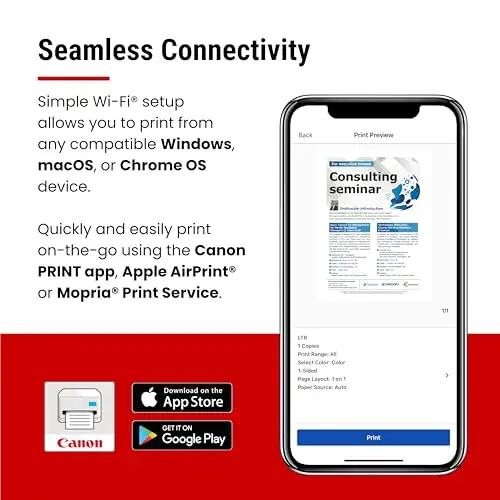
The Canon LBP646Cdw is the simplest way into color laser printing: it only prints, so there is no scanner to buy or maintain. It runs up to 26 pages per minute in both color and black and white, gets the first page out in about 10.3 seconds, and prints two-sided over Wi-Fi from phones through AirPrint, Mopria or Canon's app.
It was mentioned in two reader threads. The trade-off is toner: high-capacity cartridges help, but one owner of a Canon color imageCLASS said a replacement set was expensive and ran only about 1,500 pages, so price a full set before buying.


A fast monochrome all-in-one for text-heavy printing.
Prices and availability on Amazon change often.
The Canon imageCLASS MF462dw II is a black-and-white all-in-one for text-heavy printing: up to 37 pages per minute, first page in about 5 seconds, plus scan, copy and fax. A 5-inch color touchscreen and Canon PRINT, AirPrint and Mopria support keep it easy to use from a phone.
An expert review of the earlier MF462dw praised its output quality, speed, connections and paper handling for a small or midsize office; the II is the newer version of that model. The same review noted dithering in graphics and photos, so treat it as a document printer.


A business color all-in-one with a big document feeder, security features and generous starter toner.
Prices and availability on Amazon change often.
The Brother MFC-L8930CDW is the pick for a small business that scans as much as it prints. It does up to 33 pages per minute, scans two-sided at up to 104 images per minute through an 80-page document feeder, and has a 7-inch touchscreen with up to 64 shortcuts. It also adds an NFC badge reader and layered security features.
It comes with standard-yield toner (3,000 pages black, 1,800 color), and super high yield replacements are rated at 7,500 black and 6,500 color. The original poster of one reader thread said setup was easy and it felt more reliable than earlier printers. It's more machine than most homes need.
Color laser printing costs far more per page than mono. In one expert review, the Brother MFC-L3780CDW ran about 2.3 cents per black-and-white page and 12.3 cents per color page. If most of what you print is text, a black-and-white laser saves real money over the years.
If you only need color now and then, one forum poster suggested sending those jobs to a print shop, where the prints are cheap and good. Whichever you choose, no laser matches even a mediocre inkjet for photos, so keep photo printing separate.
Some printers refuse third-party toner. The HP LaserJet M209d listing says it only works with cartridges that have HP chips, and readers report similar blocking on certain HP and Brother models after firmware updates.
If you want the option of cheaper toner, one commenter suggests turning off auto-update and cutting the printer's internet access at your router. Plan on genuine toner if you'd rather not manage that.
If you only need to print, the Canon LBP646Cdw is the simplest and most affordable color option here, with wireless and automatic two-sided printing. If you also scan or copy, the Brother MFC-L3780CDW is the better all-rounder. Either way, toner doesn't dry out, which suits occasional home printing.
The Brother MFC-L3780CDW. It prints up to 31 pages per minute, copies and scans two-sided in a single pass, and connects through dual-band Wi-Fi, Gigabit Ethernet or Wi-Fi Direct. One owner who bought it for working from home reported zero issues after two years.
The Brother MFC-L8930CDW is built for it, with an 80-page document feeder, two-sided scanning up to 104 images per minute, a 7-inch touchscreen and NFC badge sign-in. Check the printer's monthly duty cycle against your volume. If you print less, the MFC-L3780CDW does the job at lower cost.
Why trust BullseyeBuy
This shortlist comes from comparing ten laser printer listings on Amazon that are in stock right now, alongside an expert review and reader threads from people who own these machines. We weighed print speed, duplex and wireless support, toner cost and upkeep, and whether you need color or a scanner.
Our expert team tests products when it is needed and researches online and in interviews. Every guide is fact-checked and edited by a real person.
The BullseyeBuy editorial team · Updated Oct 19, 2026
How we pickEditorial standardsAffiliate disclosureReport a mistake
We earn a commission when you buy through our links, at no extra cost to you. It never decides the winner.