ADATA 512GB Premier Extreme microSDXC SD7.1 Express CardBest overall
- Capacity
- 512GB
- Read speed
- Up to 800 MB/s
- Write speed
- Up to 700 MB/s
- Interface
- PCIe Gen3 x1, NVMe
Most recommended by reviewers
Check price at AmazonWe earn a commission when you buy through our links, at no extra cost to you. How this works.
The Nintendo Switch 2 needs a microSD Express card, not a regular microSD card. Picking one comes down to three things: how fast it reads games, how much space you need, and how long the warranty lasts. Read speed matters most for loading games, while write speed matters more for copying data and recording video.
Our top pick is the ADATA 512GB Premier Extreme. It offers fast read and write speeds and a lifetime warranty, which makes it a good fit for most players with a growing game library. The other picks cover a budget 256GB card, a 1TB card for very large libraries, and a few well-reviewed options at different prices.
1 ADATA 512GB Premier Extreme microSDXC SD7.1 Express Card | 2 Samsung P9 Express microSDXC 256GB | 3 Lexar 1TB Play PRO microSD Express Card | 4 SANDISK 256GB microSD Express Card | 5 SANDISK 512GB microSD Express Card | 6 PNY 512GB microSD Express U3 V30 A1 Card | |
|---|---|---|---|---|---|---|
| Best for | Best overall | Best budget | Best 1TB for big libraries | Best 256GB for speed | Best SanDisk 512GB | Best budget 512GB |
| Capacity | 512GB | 256GB | 1TB | 256GB | 512GB | 512GB |
| Read speed | Up to 800 MB/s | Up to 800 MB/s | Up to 900 MB/s | Up to 880 MB/s | Up to 880 MB/s | Up to 890 MB/s |
| Write speed | Up to 700 MB/s | Not listed | Up to 600 MB/s | Up to 650 MB/s | Up to 650 MB/s | Up to 810 MB/s |
| Warranty | Lifetime | 3-year limited | Not listed | Not listed | Lifetime limited, terms vary by region | Lifetime limited |
| Check price at Amazon | Check price at Amazon | Check price at Amazon | Check price at Amazon | Check price at Amazon | Check price at Amazon |
ADATA 512GB Premier Extreme microSDXC SD7.1 Express CardBest overallMost recommended by reviewers
Check price at Amazon Samsung P9 Express microSDXC 256GBBest budget
 Lexar 1TB Play PRO microSD Express CardBest 1TB for big libraries
 SANDISK 256GB microSD Express CardBest 256GB for speed
 SANDISK 512GB microSD Express CardBest SanDisk 512GB
 PNY 512GB microSD Express U3 V30 A1 CardBest budget 512GB


The fastest 512GB option we found, with a lifetime warranty. Best for most Switch 2 owners who want room for a growing library.
Most recommended by reviewers
Check price at AmazonPrices and availability on Amazon change often.
One catchIt only comes in 256GB and 512GB, so very large game libraries will need a second card.
For most Switch 2 owners, the ADATA 512GB is the card to start with. Its listing gives read speeds up to 800 MB/s and write speeds up to 700 MB/s over PCIe Gen3 x1. One expert review called it the fastest 512GB microSD Express card that reviewer had tested.
It also carries a lifetime warranty and a sustained write rate that the listing puts at nearly 150 MB/s, which helps with video recording as well as game downloads. The 512GB size fits a mid-sized library without the premium cost of 1TB.


The lowest-cost card among our top three, with a three-year warranty. Best for players who mainly need a card for a few games at a time.
Prices and availability on Amazon change often.
If you want a fast card without paying for 512GB or 1TB, the Samsung P9 256GB is the strongest value in this group. The listing gives read speeds up to 800 MB/s and a three-year limited warranty, and one expert review called it an accessible value card for Switch 2 users.
It also works with standard microSD UHS-I devices, so you can move it to a camera or drone later. Plan on a bigger card if your library is large.


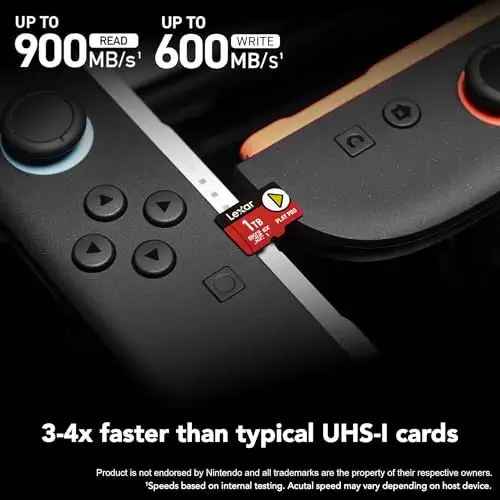


The highest-capacity card in our picks, with fast read speeds. Best for players who keep dozens of games installed at once.
Prices and availability on Amazon change often.
If you keep many games installed and do not want to swap cards, the Lexar 1TB is the card for you. The listing gives read speeds up to 900 MB/s, and one expert review described its performance as top-tier for demanding users.
It is the most expensive card in this guide. Its write speed is lower than some 512GB cards, which matters less for loading games than for copying data.


A fast 256GB card that reviewers recommend, with heat management built in. Best for players who want speed in a smaller size.
Prices and availability on Amazon change often.
This SanDisk 256GB card is one of the fastest 256GB options. Its listing gives read speeds up to 880 MB/s, and the SanDisk ThermAdapt design is meant to keep the card from overheating during long sessions.
Two expert reviews recommended it. The main drawback is its price for a 256GB card, and one review found it gets hot in an adapter, so use a suitable card reader.


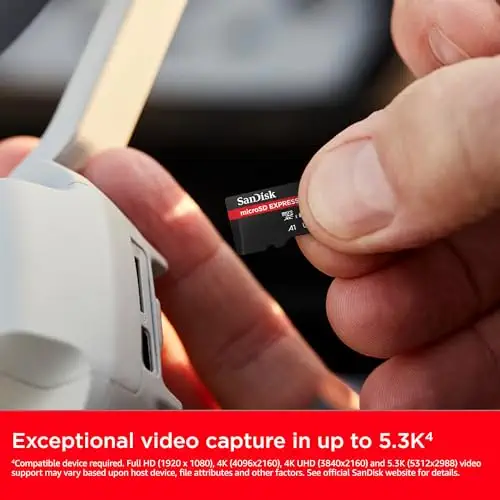
The SanDisk 512GB card, recommended by two expert reviews. Best for players who want a known brand and fast game loads.
Prices and availability on Amazon change often.
If you want the SanDisk brand at 512GB, this card is a strong option. Two expert reviews recommended it, and one reported the second-fastest game load time among the cards it compared.
Expect less usable space than the label suggests. One review measured about 456GiB shown on the console, the lowest of the cards it compared.


A fast, affordable 512GB card with a lifetime warranty. Best for players who want the most space for the money.
Prices and availability on Amazon change often.
The PNY 512GB offers fast read and write speeds at a lower cost than many 512GB options. One expert review recommended it as an affordable choice, and the same review reported the fastest game load and copy times among the cards it compared.
It comes with a lifetime limited warranty and the A1 rating for running apps directly from the card.
A microSD Express card is required for the Nintendo Switch 2. If you have a game library that grows quickly, a 512GB or 1TB card gives you more room before you need to delete games.
Reviewers and manufacturers agree on the basics. Read speed matters most for loading games. Write speed matters more for copying data and recording video. Check that the card carries the microSD Express standard, since regular microSD cards will not work with the Switch 2.
Skip any card that does not list microSD Express support. Avoid putting a microSD Express card in a standard adapter, since reviewers found it can overheat. A card reader is the better choice for fast transfers.
An SD Express card uses a PCIe and NVMe interface and carries an EX mark. It only reaches its full speed in a device or card reader that supports the microSD Express standard. Older devices fall back to standard UHS speeds.
The ADATA 512GB is our top pick for most players, because it combines fast read and write speeds with a lifetime warranty. If you want the most space, the Lexar 1TB is the strongest option. For a lower price, the Samsung P9 256GB is the best value.
At the time of writing, the Switch 2 is the only device that uses microSD Express cards. The original Switch uses standard microSD cards, so an Express card is not a step up for it. Check the console manual before buying.
Reviewers link the high cost to limited availability, because the Switch 2 is currently the only device that uses these cards. Prices vary by retailer and region, so check the live price shown on each listing.
If you own a Switch 2, yes, because the console needs a microSD Express card to store games. For other devices, a standard card is usually the better choice, since reviewers note that Express cards are not always the best general-purpose option.
The listed maximums for the cards here reach up to 880 to 900 MB/s for reads. Real performance in the Switch 2 can differ from these figures, so look at the speed results in expert reviews for the most useful picture.
Why trust BullseyeBuy
Every listing was checked for Nintendo Switch 2 compatibility and current Amazon availability before it was included. Picks were weighed on what the listings and expert reviews report about read and write speed, capacity, warranty and heat.
Our expert team tests products when it is needed and researches online and in interviews. Every guide is fact-checked and edited by a real person.
The BullseyeBuy editorial team · Updated Oct 17, 2026
How we pickEditorial standardsAffiliate disclosureReport a mistake
We earn a commission when you buy through our links, at no extra cost to you. It never decides the winner.