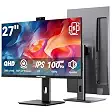
HUION Inspiroy H430P Graphic TabletBest overall
- Active area
- 4.8 x 3 inches
- Thickness
- 6.3 mm
- Weight
- 135 g
- Pen
- Battery-free PW201, 4096 pressure levels, 233 pps
Most recommended by reviewers
Check price at AmazonWe earn a commission when you buy through our links, at no extra cost to you. How this works.
If you play osu! with a pen, you want a tablet that follows your hand right away. You also want a pen that never needs charging and an active area small enough to move across quickly. Here is what's available right now, from budget picks to tablets that work for both play and drawing.
Our top pick is the HUION Inspiroy H430P Graphic Tablet. It is light, uses a battery-free pen and suits most players on a budget. The other picks cover pure osu! play, use across several systems and drawing as well as playing.
1 HUION Inspiroy H430P Graphic Tablet | 2 XPPen Star G430S OSU Drawing Tablet | 3 VEIKK S640 Drawing Tablet | 4 HUION H420X Graphics Tablet | 5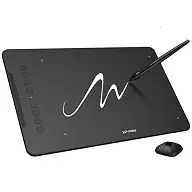 XPPen Deco 01 V3 10x6 Drawing Tablet | |
|---|---|---|---|---|---|
| Best for | Best overall | Best for pure osu! play | Best across systems | Best for drawing and osu! | Best large area for drawing |
| Active area | 4.8 x 3 inches | 4 x 3 inches | 6 x 4 inches | 4.17 x 2.6 inches | 10 x 6.25 inches |
| Thickness | 6.3 mm | 2 mm | 2 mm | 7 mm | 8 mm |
| Weight | 135 g | Not listed | 117 g | 167 g | Not listed |
| Pen | Battery-free PW201, 4096 pressure levels, 233 pps | Battery-free PN01, 8192 pressure levels | Battery-free P01 | Battery-free, 8192 pressure levels, 300 pps | 16,384 pressure levels, 60 degrees tilt |
| Platforms | Windows 7+, macOS 10.11+, Linux, Android 6.0+ | Windows 7/8/10/11, macOS 10.10+ | Windows, macOS 10.12+, Linux, Android via OTG (not Samsung) | Windows 7+, macOS 10.12+, Android 6.0+ | Windows, macOS, Android, Chromebook |
| Check price at Amazon | Check price at Amazon | Check price at Amazon | Check price at Amazon | Check price at Amazon |
HUION Inspiroy H430P Graphic TabletBest overallMost recommended by reviewers
Check price at Amazon XPPen Star G430S OSU Drawing TabletBest for pure osu! play
 VEIKK S640 Drawing TabletBest across systems
 HUION H420X Graphics TabletBest for drawing and osu!
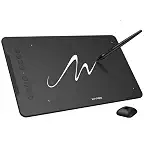 XPPen Deco 01 V3 10x6 Drawing TabletBest large area for drawing


A light, battery-free pen tablet for most osu! players who want a compact, affordable setup.
Most recommended by reviewers
Check price at AmazonPrices and availability on Amazon change often.
One catchSmall active area, and reviewers report cursor delay on harder maps.
The H430P is the tablet most often recommended in this shortlist, with two expert reviews and a player forum naming it. It uses a battery-free pen with 4096 pressure levels and a 233 pps report rate, so there is no charging to plan around. At 135 g and 6.3 mm thick, it packs easily for a dorm or a laptop bag.
The trade-off is the active area. At 4.8 x 3 inches it limits full-area play. One expert review also reports a driver-based cursor delay that cannot be switched off, and a player says the delay shows on harder maps. Check these before you rely on it for ranked play.


A very slim tablet built for osu!, best if you don't plan to draw much.
Prices and availability on Amazon change often.
The G430S is the tablet one expert review picks for pure osu! play. It is only 2 mm thick and has a 4 x 3 inch active area, which keeps your hand movement short. The battery-free stylus has 8192 pressure levels, and the maker says no driver is needed for osu!.
Skip it if you plan to draw, since the area is very small. Mac users without a USB-A port will need an adapter, so check your ports first.


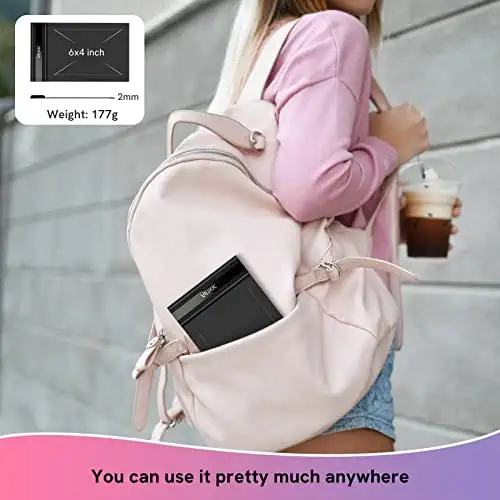

A thin 6 x 4 inch tablet with a battery-free pen that works on Windows, Mac, Linux and Android.
Prices and availability on Amazon change often.
The S640 is a 6 x 4 inch tablet that weighs 117 g, so it fits in a laptop sleeve. It uses a battery-free P01 pen and has a built-in USB cable. The listing covers Windows, macOS, Linux and Android through an OTG connector, which makes it a good pick if you switch between devices.
One expert review says it has no express keys. Check your phone before buying for Android use, since the listing excludes Samsung devices.


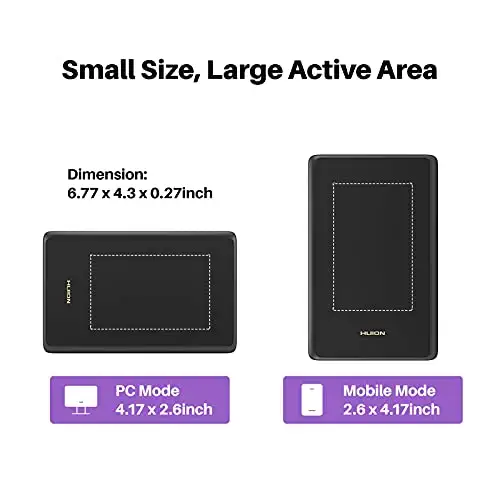

A slim tablet with a fast pen and side buttons, for players who also draw and take notes.
Prices and availability on Amazon change often.
The H420X offers a 300 pps report rate and a battery-free pen with 8192 pressure levels, plus two side buttons you can set to right-click or the eraser. Its 4.17 x 2.6 inch area is slim at 7 mm and 167 g. One expert review recommends it, and it also works on Android.
The active area is small, so it suits players who keep their hand movement tight.
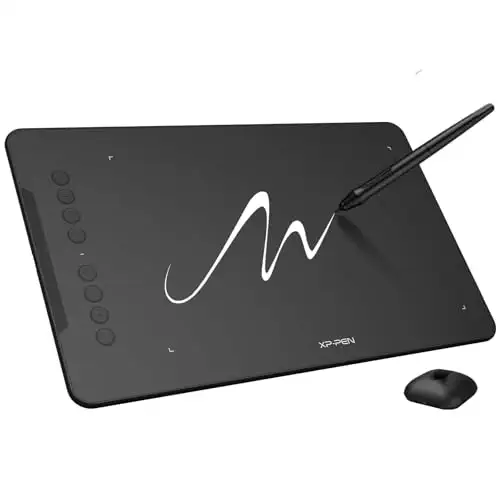


A large tablet with eight shortcut keys, for players who draw as much as they play.
Prices and availability on Amazon change often.
This is one of the largest tablets in the shortlist, with a 10 x 6.25 inch active area and eight programmable keys. The stylus supports 16,384 pressure levels and 60 degrees of tilt, and it connects by USB-C to Windows, macOS, Android and Chromebook.
For osu!, the big area means your hand travels farther to reach the edges. One expert review says larger areas suit art but slow fast play, so this is the better choice if you draw as much as you play.
Choose the H430P if you want a compact, battery-free tablet for most osu! play and light note-taking. Choose the G430S if you want the smallest setup and never plan to draw. Choose the S640 if you switch between Windows, Mac, Linux and Android. Choose the Deco 01 V3 if you draw as much as you play.
The reviews we read put accuracy, cursor delay, active area size and hover distance ahead of pen shape. A battery-free pen avoids a dead stylus in the middle of a game. Smaller areas let you move your hand faster, and one expert review notes that resolution matters less for gameplay than it does for art.
Check whether the tablet needs a driver, because the driver can add cursor delay that you can't always switch off.
Many osu! players use small Wacom tablets. The One by Wacom in the small size, often called the 472, is named by several sources as the most popular choice for osu!. It isn't in our shortlist, which only includes listings that are in stock on Amazon. Within this list, the Huion H430P and XP-Pen G430S are the options named most often.
A small active area is usually best for osu!, because you reposition your hand faster and cover the play area with less travel. Sizes around 4 x 3 inches suit most players, and the 4.8 x 3 inch H430P is a good middle ground. Larger 10 inch tablets suit drawing more than fast play.
The pro osu! tablet is a limited-edition osu!-branded tablet made by Wacom and osu!. It is a rebranded One by Wacom in the small size, with osu! artwork. The manufacturer's material says it may suit osu! enthusiasts, but you get the same tablet with different art, so it is a matter of taste rather than a different level of performance.
Yes. Most drawing tablets work with osu!, and several in this list need no driver for basic play. Before you buy, check two things: whether the pen is battery-free, and whether the tablet's driver adds cursor delay that you can't switch off.
The Huion H430P is our top pick for most players on a budget, though its small area limits full-area play. The Huion 420 and Gaomon S620 are lower-cost backups, but a reader found their smoothing and pen issues hard to live with.
For many players, a tablet is better than a mouse because it reduces the lag between your hand and the cursor. One expert review says a mouse is enough for casual play, but a tablet becomes necessary at higher levels. Expect a learning curve, and remember that no equipment replaces practice.
Why trust BullseyeBuy
Every tablet here was checked against its Amazon listing and confirmed in stock before it was included. We ranked them by how many expert and player sources recommend them, then compared what each listing says about pen type, active area and system support.
Our expert team tests products when it is needed and researches online and in interviews. Every guide is fact-checked and edited by a real person.
The BullseyeBuy editorial team · Updated Oct 17, 2026
How we pickEditorial standardsAffiliate disclosureReport a mistake
We earn a commission when you buy through our links, at no extra cost to you. It never decides the winner.