Apple Mac mini M4Best overall
- Chip
- Apple M4, 10-core CPU and 10-core GPU
- Memory
- 16GB unified
- Storage
- 512GB SSD
- Size
- 5 x 5 inches
Most recommended by reviewers
Check price at AmazonWe earn a commission when you buy through our links, at no extra cost to you. How this works.
Picking a desktop usually starts the same way: the old one has slowed to a crawl, and you want something that will just work for the next five years. We lean toward the Apple Mac mini M4 because it is quick, nearly silent and small enough to disappear next to a monitor.
It is for anyone who is happy to bring their own screen. The rest cover the other ways people shop: an easy-to-upgrade tower, a one-piece Windows setup, a roomy Mac, and a cheap one for the kitchen table.
1 Apple Mac mini M4 | 2 Dell Tower Plus | 3 Lenovo Yoga AIO 27 | 4 Apple iMac 24-inch | 5 HP 21.5-inch All-in-One | |
|---|---|---|---|---|---|
| Best for | Best overall | Best for upgrading | Best Windows all-in-one | Best for Mac fans | Best budget |
| Memory | 16GB unified | 32GB DDR5 | 16GB | 24GB unified | 8GB DDR5 |
| Storage | 512GB SSD | 1TB SSD | 1TB SSD | 512GB SSD | 128GB SSD plus 256GB docking station storage |
| Processor | Not listed | Intel Core Ultra 7 265 | Intel Core Ultra 7 255H | Not listed | Intel N100, 4 cores |
| Display | Not listed | Not listed | 27-inch 2.5K QHD, 120Hz | 24-inch 4.5K Retina, 500 nits | 21.5-inch Full HD, anti-glare |
| Check price at Amazon | Check price at Amazon | Check price at Amazon | Check price at Amazon | Check price at Amazon |
Apple Mac mini M4Best overallMost recommended by reviewers
Check price at Amazon Dell Tower PlusBest for upgrading
 Lenovo Yoga AIO 27Best Windows all-in-one
 Apple iMac 24-inchBest for Mac fans
 HP 21.5-inch All-in-OneBest budget


A tiny, quiet desktop that is fast enough for nearly everything most people do.
Most recommended by reviewers
Check price at AmazonPrices and availability on Amazon change often.
The Mac mini is the desktop we'd pick for most people: fast, silent and small enough to sit anywhere.
The M4 chip with a 10-core CPU and 10-core GPU is very fast for everyday work, photo editing and light creative projects, and it stays whisper-quiet even under heavy load. At 5 x 5 inches it fits almost anywhere, with Thunderbolt, HDMI, Ethernet and a front USB-C port and headphone jack. Owners on r/buildapcsales call it a monster as a media player and praise the single-core speed, and one says a completely silent computer is a must for most uses other than gaming.
You need to bring your own monitor, keyboard and mouse, so the total cost depends on what you already own. Its 16GB of memory is also well short of the Dell's 32GB, though plenty for the everyday and light creative work it targets.
If it's not for you, the Dell Tower Plus suits anyone who wants to open up and upgrade their PC, while the Lenovo Yoga AIO 27 is the pick for a Windows all-in-one that works out of the box.


A roomy Windows tower you can keep improving as your needs grow.
Prices and availability on Amazon change often.
Many prebuilt desktops are hard or even impossible to upgrade, which is what makes this one stand out. You can add memory, storage and expansion cards later, so it can grow with you instead of being replaced.
It is strong enough for photo editing, light 3D work and everyday life, and the airflow design keeps noise down. If you plan to add a graphics card down the road, a tower like this is the sensible starting point.


A clean one-piece setup with a sharp 27-inch screen that adjusts to you.
Prices and availability on Amazon change often.
If you want one thing on the desk instead of a tower, a monitor and a tangle of cables, this is the tidy way to do it. The 27-inch display is bright and sharp, and the stand adjusts in ways most all-in-ones cannot.
It is a great fit for home offices and family computers. Just know that what you buy is what you keep, since the memory cannot be swapped later. This listing comes from a reseller that upgraded the parts and backs it with its own one-year warranty.

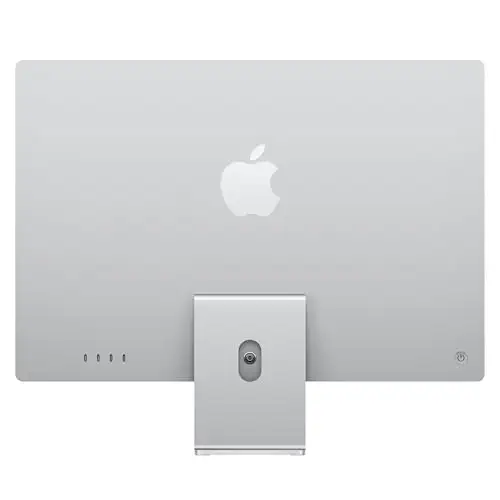


The easiest way to get a great screen, camera and speakers in one slim Mac.
Prices and availability on Amazon change often.
Reviewers call it the best all-in-one around, and it is easy to see why. Open the box, plug it in and you have a full Mac experience with a screen worth looking at all day and a webcam and speakers that make video calls painless.
This version has 24GB of memory, which gives it room for multitasking and creative apps. If you want maximum power for the money, the Mac mini is better value; if you want it all in one slim package, this is it.


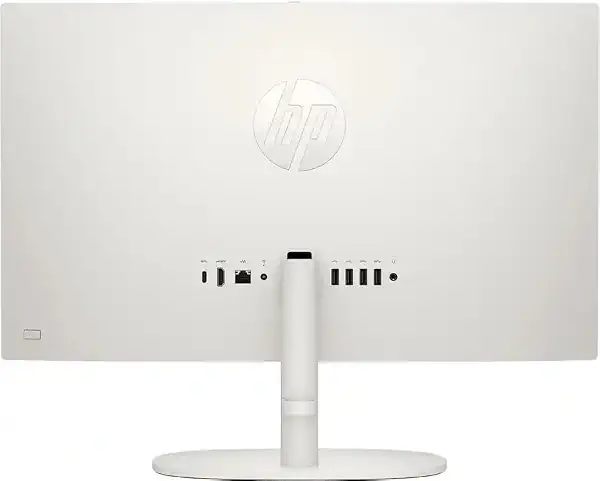
A low-cost screen-and-computer in one, for email, browsing and homework.
Prices and availability on Amazon change often.
Not everyone needs a powerhouse. For web browsing, email, school work and video calls, this keeps the cost low while giving you a full-sized screen and everything in the box.
The catch is that the built-in storage is small, and the extra space lives on an external dock. It is a good family or kitchen-counter computer, but if you want something that lasts for years of heavier use, step up to one of the picks above.
If you need to move around with your work, a laptop is the better fit. A desktop makes sense when it lives in one spot and you want more speed per dollar.
No brand is perfect. Business-grade lines like Dell OptiPlex and Lenovo ThinkCentre are built to be more durable, and Apple's Mac mini and iMac are well regarded for quiet, trouble-free use. Look at the specific model and warranty rather than the logo alone.
For most homes, the Mac mini M4 is the best balance of speed, size and quiet. If you want a one-piece setup with a built-in screen, an all-in-one like the Lenovo Yoga AIO 27 or iMac keeps the desk clear.
Gamers should prioritize a dedicated graphics card, which none of the desktops here include. A tower such as the Dell Tower Plus can take one later, while Macs are not well suited to serious PC gaming.
A tower like the Dell Tower Plus or a business-grade OptiPlex is a strong choice, as is a Mac mini. For a single tidy workstation, an all-in-one with a good camera makes video meetings simpler.
Why trust BullseyeBuy
This shortlist comes from comparing ten desktops that are in stock right now, from tiny minis to all-in-ones to full towers. We weighed what each one does well, how easy it is to upgrade, how much desk space it takes and how it holds up for the money. Reviewer and owner advice shaped who each pick suits.
Our expert team tests products when it is needed and researches online and in interviews. Every guide is fact-checked and edited by a real person.
The BullseyeBuy editorial team · Updated Oct 23, 2026
How we pickEditorial standardsAffiliate disclosureReport a mistake
We earn a commission when you buy through our links, at no extra cost to you. It never decides the winner.